I started by using the software myself. What I found changed everything.
Before speaking to anyone, I opened the software and started exploring on my own. I kept landing on the same screens through completely different paths. Actions that should have been distinct were looping back into each other. The redundancy was not a coincidence. Something structural was off. So I started mapping everything.
What the audit uncovered: three user groups, one fragmented system, six structural failures.
Interviews
Five stakeholder groups, each with a completely different picture of the same product. The interviews validated what the audit surfaced and filled in the why behind every friction point.
The initial brief said modernize the UI. What the audit found became the reason for the pivot.
Every user group, Admin, ECG Technician, and Physician, was navigating workflows that were fragmented across the entire system. The UI looked broken because the structure underneath was broken. A new UI would have made it look better, but the software would have worked exactly the same. Engineering wanted a reskin. I pivoted to advocate for the users.
I turned every audit finding into a case for a broader scope by:
The pivot gave me a mandate. Three users. Three scoped interfaces. Zero overlap.
Getting the greenlight meant starting at the structure, not the screens. I rebuilt the information architecture from scratch, mapped each user's job to their own scoped interface, and got stakeholder sign-off before a single wireframe was drawn.
With the IA approved, each workflow followed the same loop. Steps 02 and 03 repeated until stakeholders signed off. Nothing moved into Figma Make until it was.
What I built for each user.
With the IA approved, I took one primary workflow per user and designed it end to end. User flow first, then wireframes, then into Figma Make.
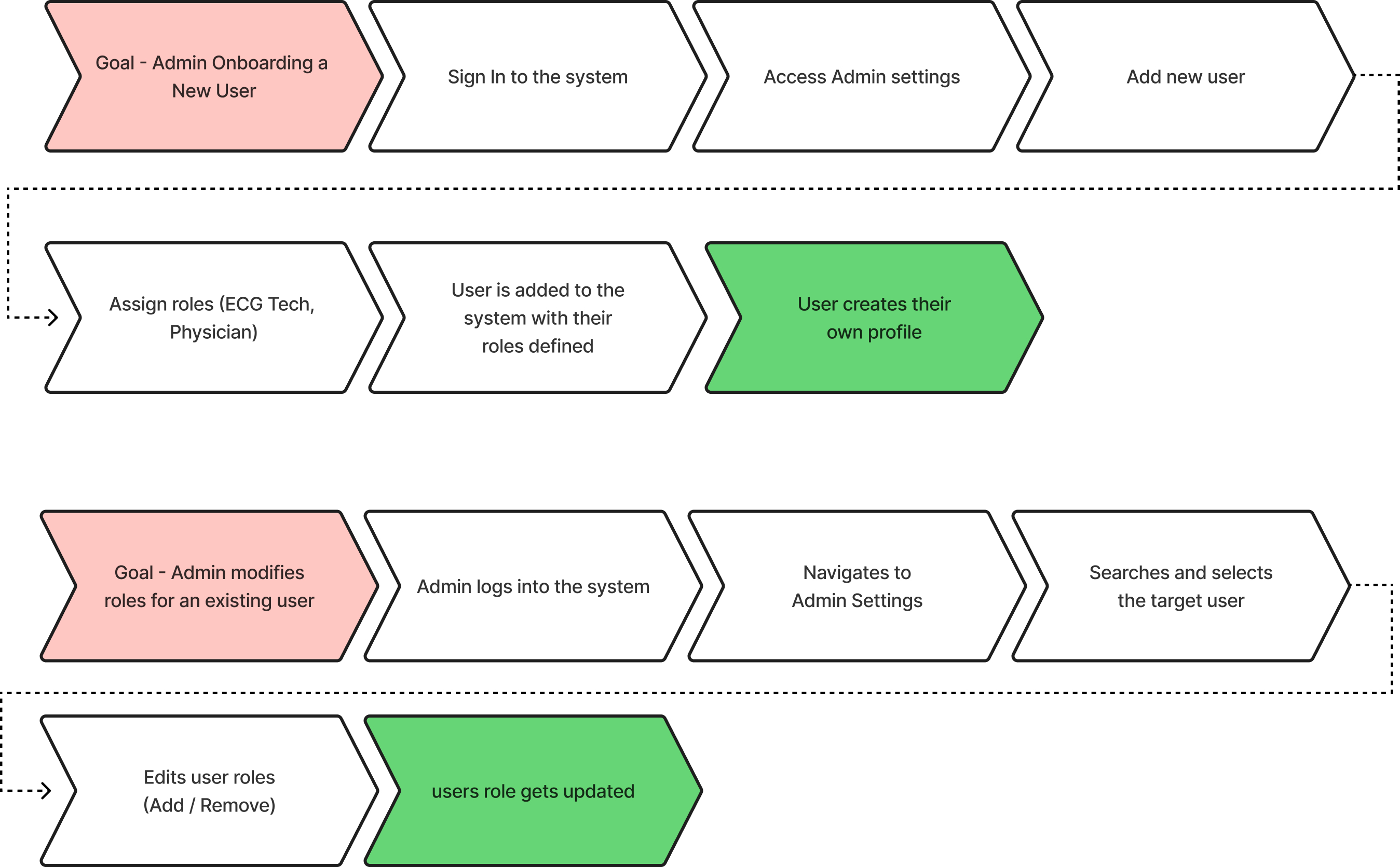
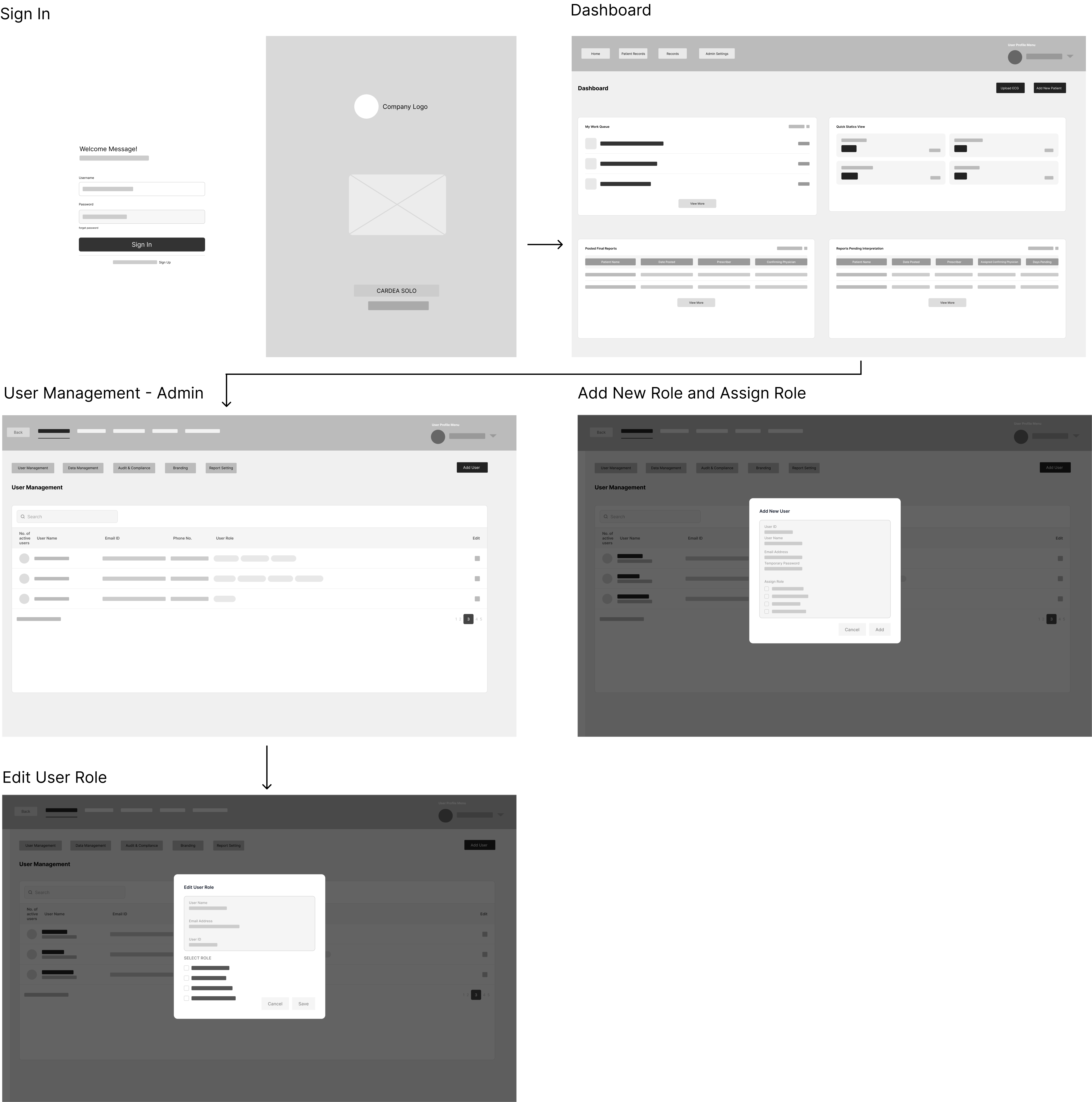
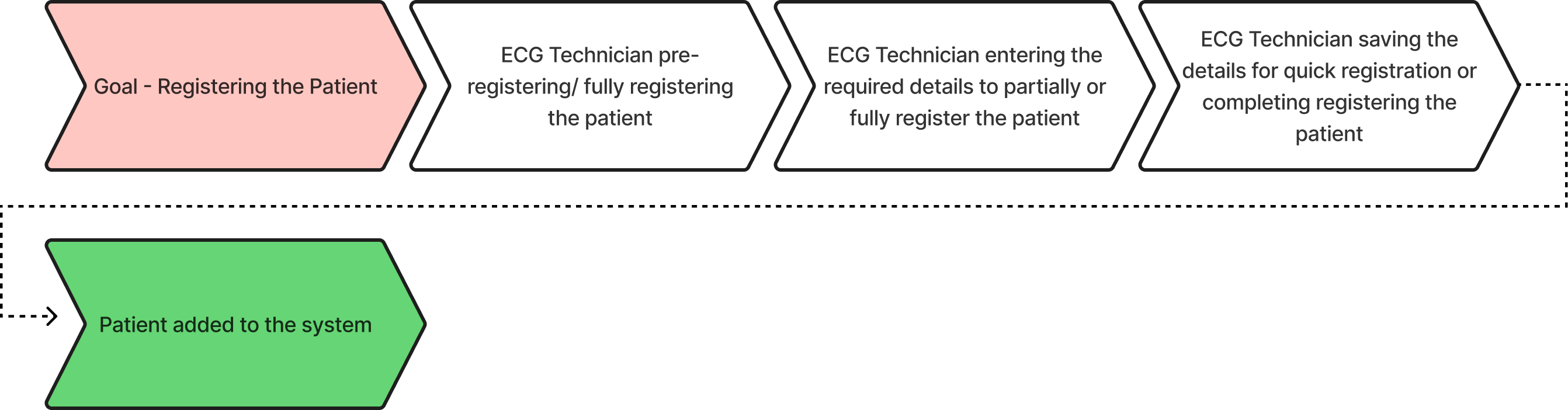
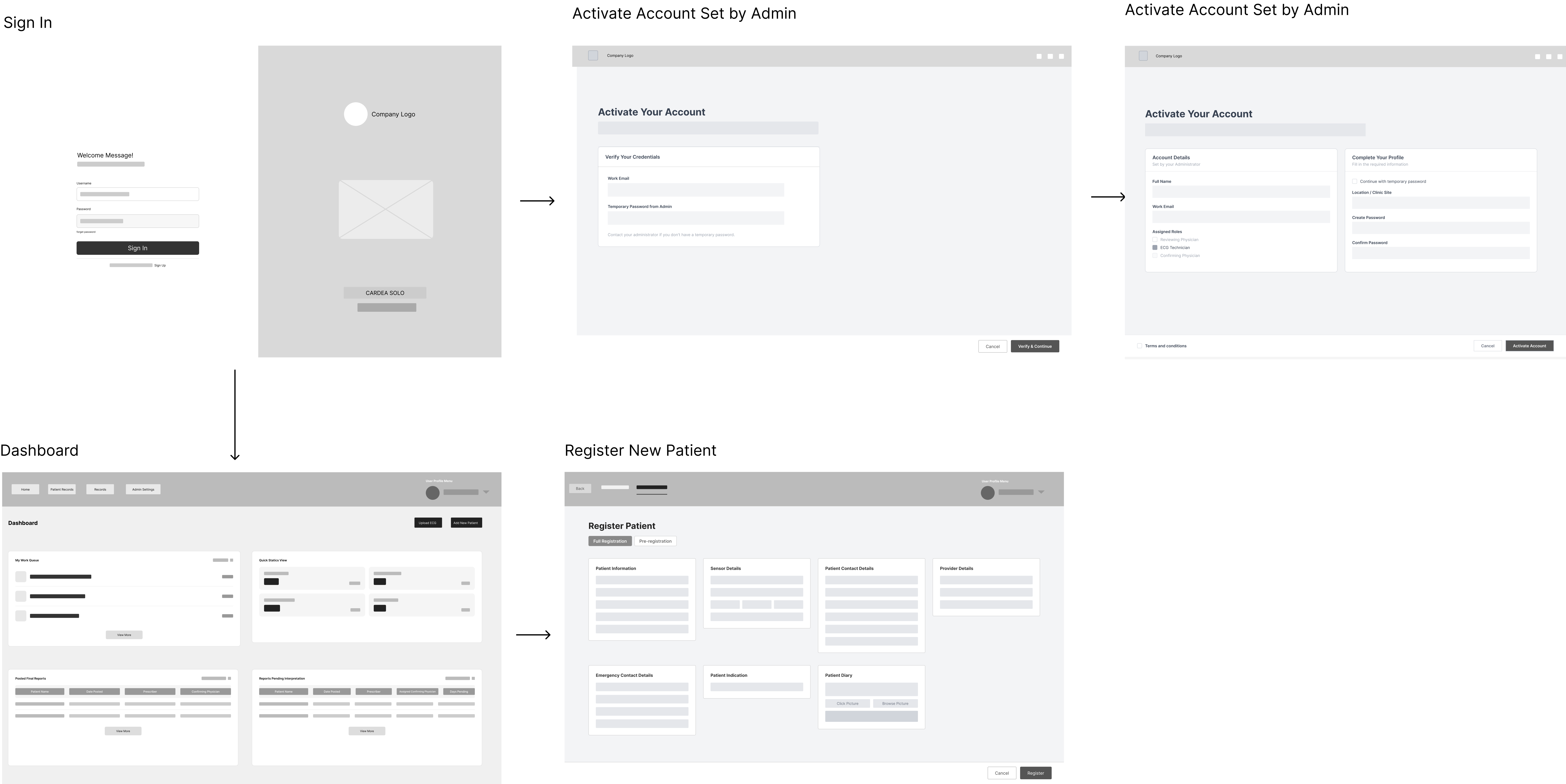
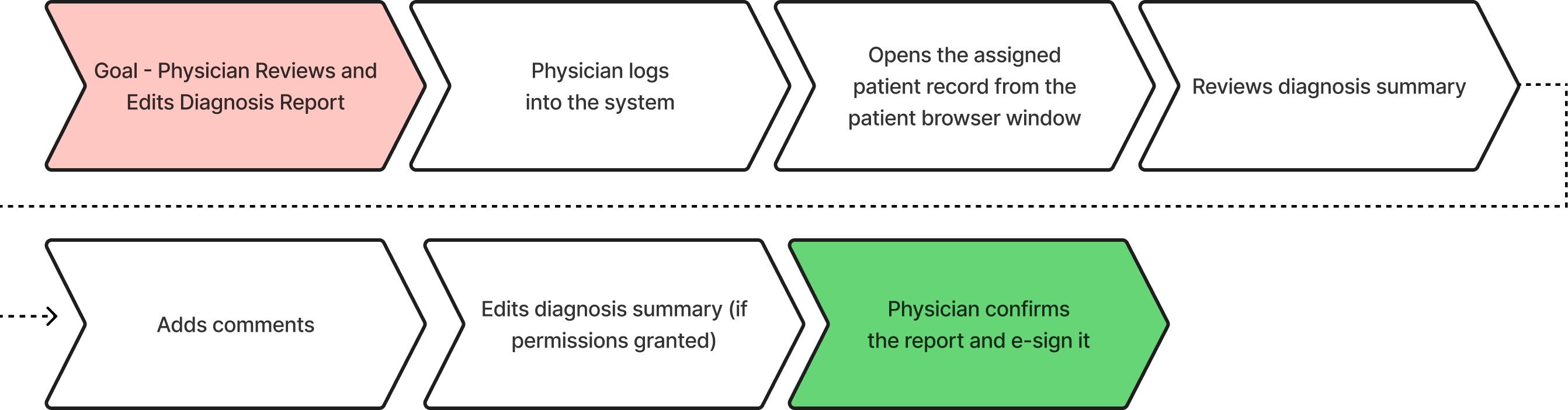
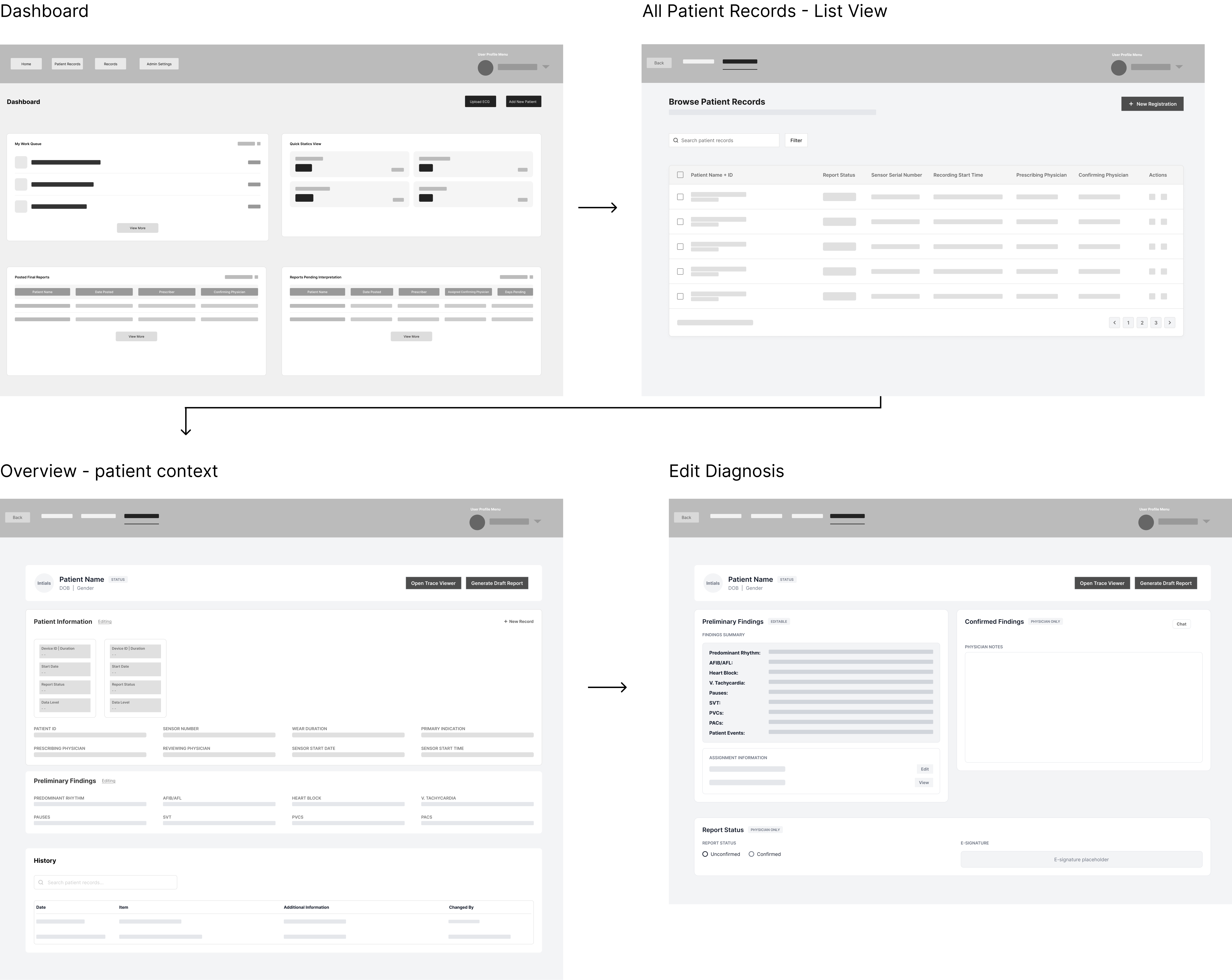
All individual workflows were built separately for each role. Once complete, they were stitched together into one unified system.
Figma Make generated the starting point. My judgment built the system.
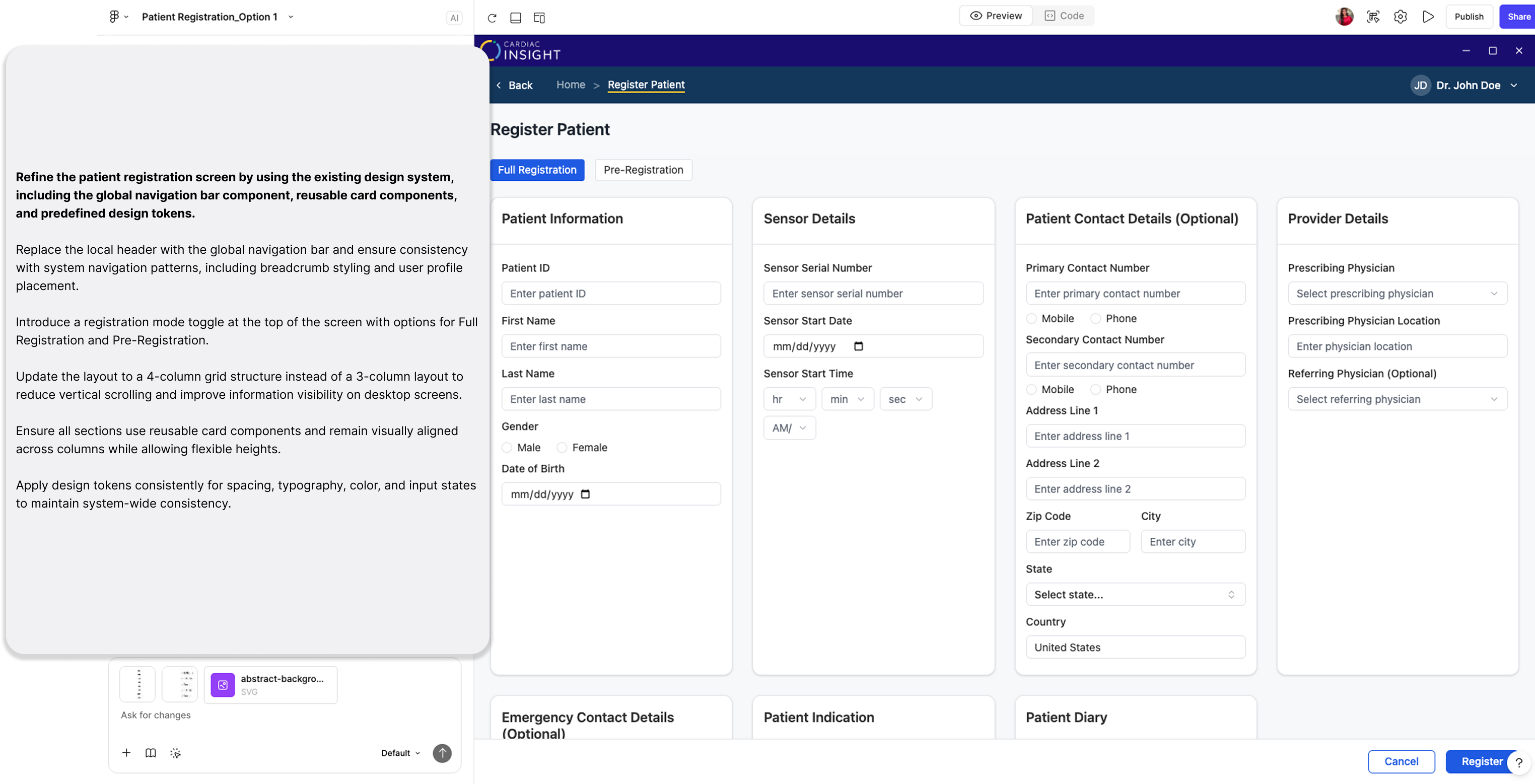
I used Figma Make to generate UI fast — then audited every output, corrected it in Figma Design, and locked those decisions as components. That loop is what built the component library.
Three sessions on a single screen. Each image is the full Figma Make output. The breakdown below it explains what the prompt included and what changed.
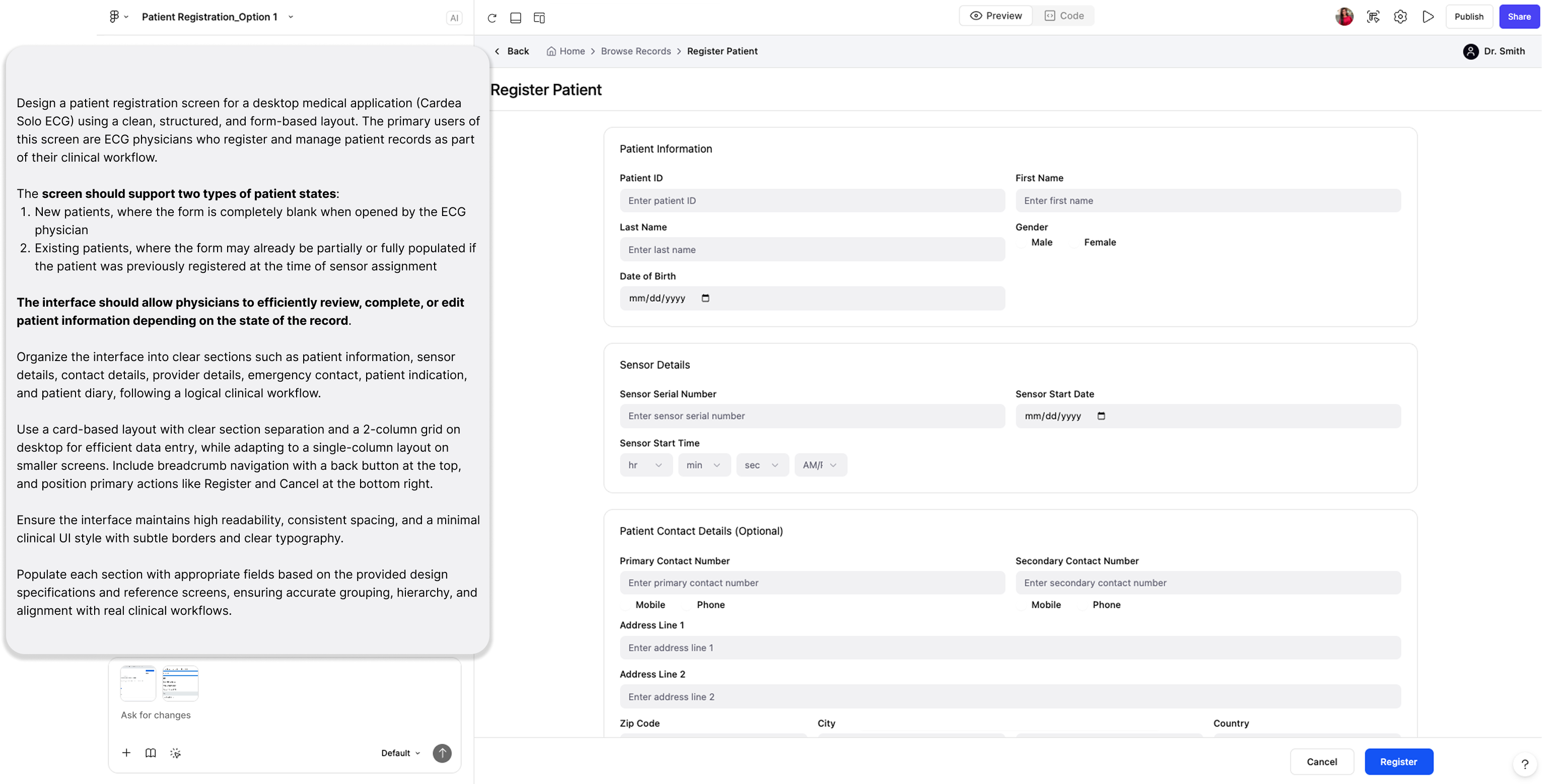
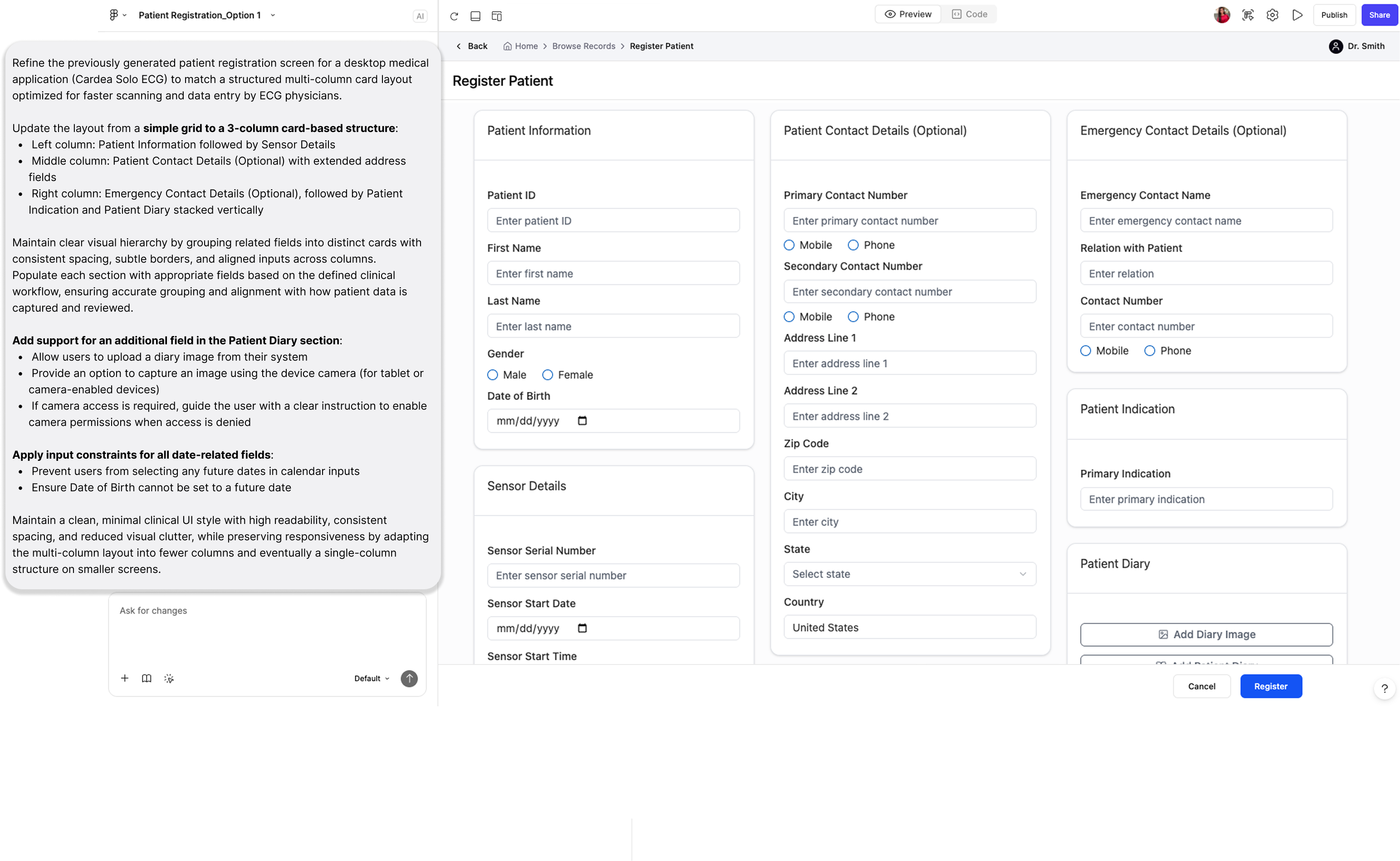
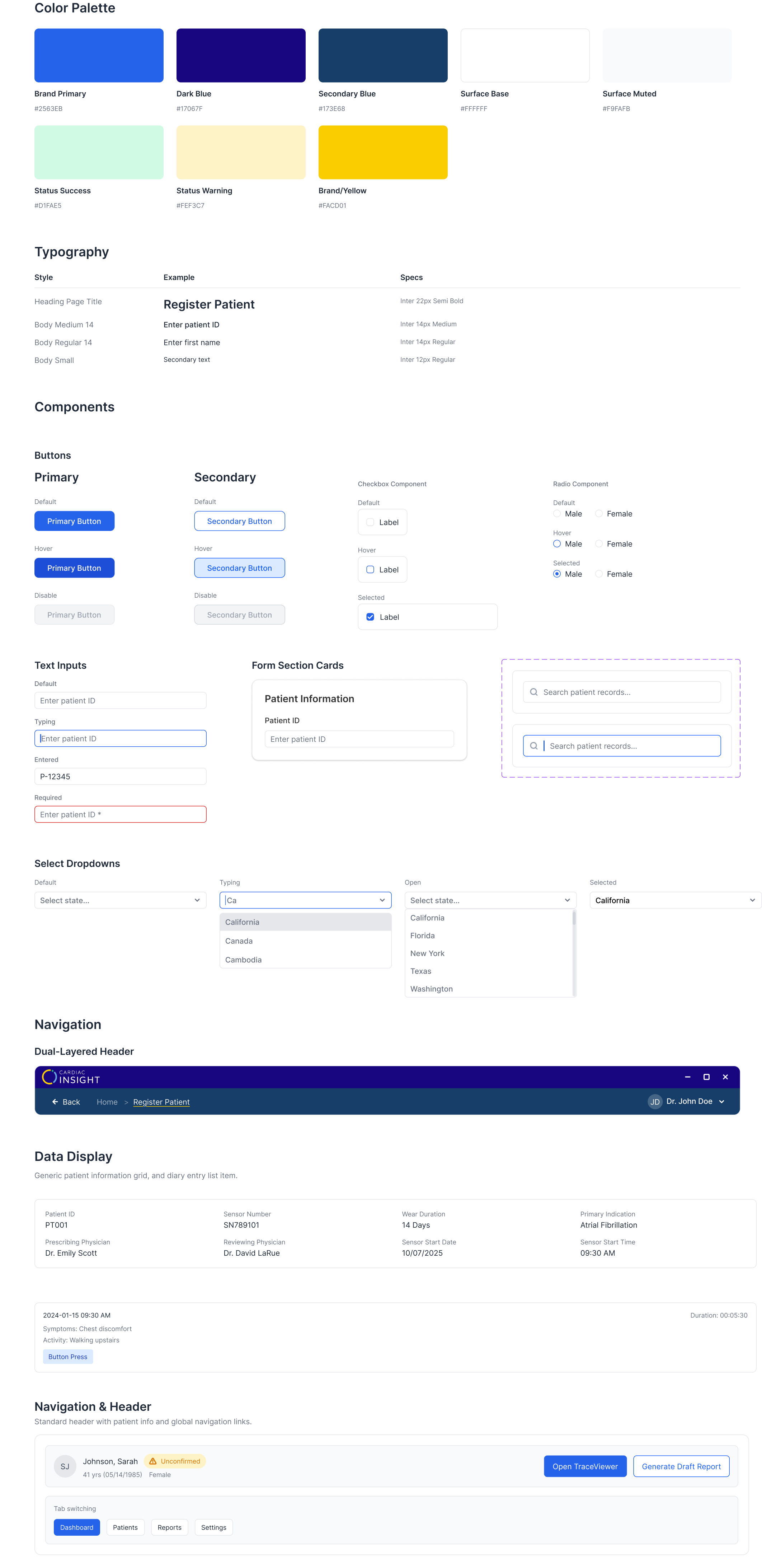
A glimpse of the master component library.
Every screen that went through the loop added components: colour tokens, typography, buttons, inputs, dropdowns, form cards, navigation. All documented. All state-complete. All built from real approved screens.
What the MVP delivered.
These numbers come from step-counting the old flow against the redesigned one, grounded in the IA audit that started the project. Not a usability study. The audit made the baseline real.
No design team. No playbook.
No design team. No templates. Every process, every decision, every stakeholder conversation, and advocating for the user experience from scratch. That was the real challenge.
Making the case at every stage
The hardest part of this project was not the design work. It was making the case at every stage: for a bigger scope, for a structural fix over a visual one, for why the users' experience mattered to the business. Those conversations were the real work, and they happened in a company where no designer had ever existed before.
Prompting is just another design brief
I came in knowing the tools but not really how to use them well. The early sessions were a lot of trial and error. But six months of prompting a live clinical product teaches you things quickly. By the end I had a much better sense of what makes a prompt actually work and what makes output miss. That understanding is something I built. It did not come with the tool.
The best learnings came from people
The best learnings came from talking to the people already working with the product. Talking to engineers, QA testers, and end users taught me more about the software than any documentation could.